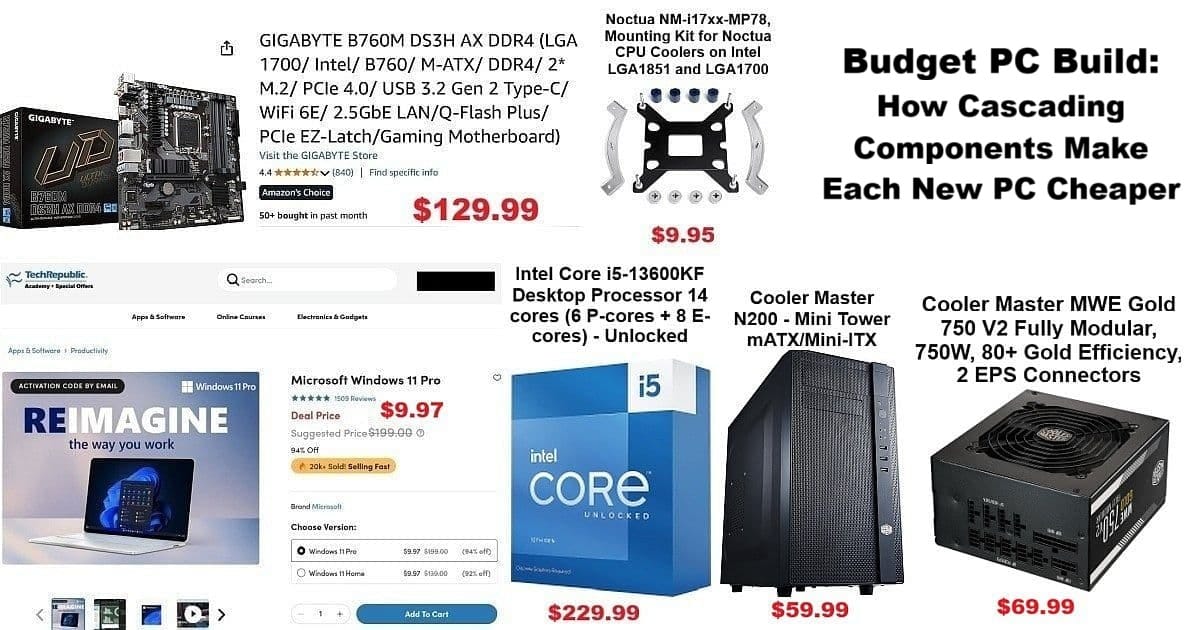
Budget PC Build: How Cascading Components Make Each New PC Cheaper

Budget PC Build infographic showing key cascading components: Intel i5-13600KF CPU, Gigabyte B760M DS3H AX motherboard, Cooler Master N200 case, Cooler Master MWE Gold 750W modular power supply, Noctua mounting kit, and Windows 11 Pro $9.97 TechRepublic deal. Prominent prices and headline: “Budget PC Build: How Cascading Components Make Each New PC Cheaper.”

Building a budget PC build isn’t just about saving dollars upfront—it’s about leveraging previous hardware investments to make every new rig more affordable and strategic over time. This journey began thanks to the jaw-dropping $9.97 Windows 11 Pro deal from TechRepublic Academy, which became the catalyst for this round of upgrades.

Whether your first build costs $550 or $1050, BYOPC (Build Your Own PC) strategies help you cascade older components forward, lowering the cost for every subsequent system. Here, you’ll discover how cascading, gifting, and repurposing parts create a long-term ecosystem where each new build gets cheaper—a method that keeps your setups current but your wallet happy.
Read more

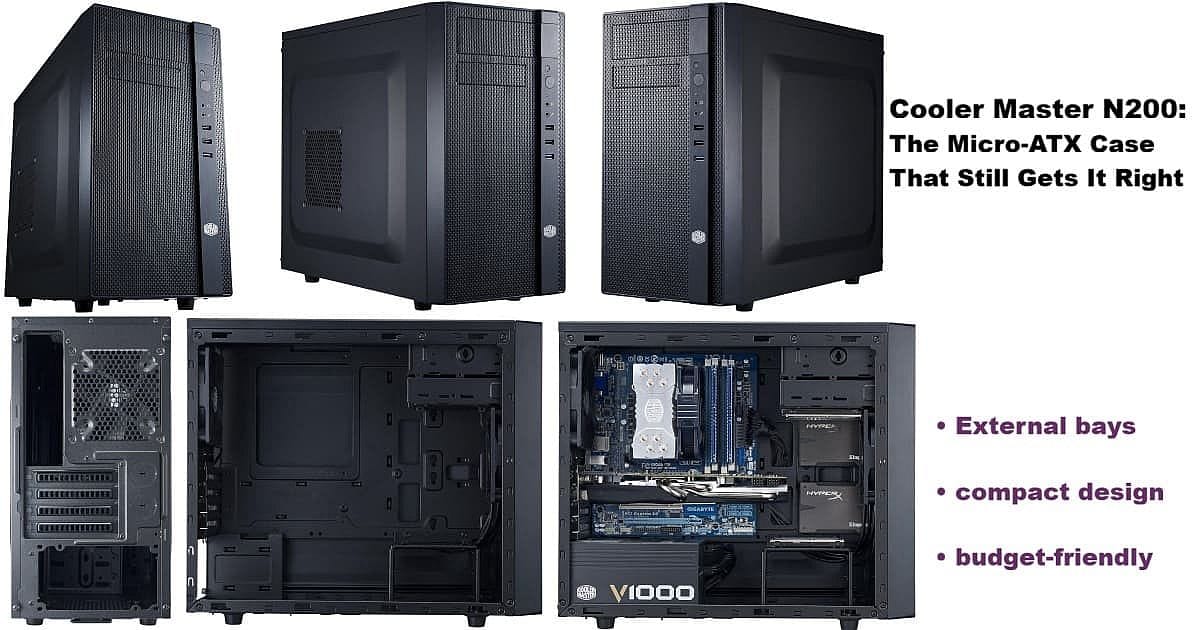
Cooler Master N200: The Micro-ATX Case That Still Gets It Right

Cooler Master N200 micro-ATX PC case collage showing front, side, rear, empty interior, and fully built system. Highlights external bays, compact design, and budget-friendly features.

Building the i5-13600KF rig reminded me why the Cooler Master N200 is the micro-ATX case that truly solves modern problems for practical PC builders. After years searching for something like the old Rosewill FBM-01—a dependable, budget-friendly case with external drive bays—I stumbled upon the N200 purely by accident.

It’s not nostalgia driving this post. The real strength of external bays is versatility—they offer options that are rare in today’s case market. The Cooler Master N200 stands out in 2024/2025 for keeping one 5.25″ and one 3.5″ bay up front. Hot-swap drives, extra USB-C ports, card readers, fan controllers—whatever your build needs, these bays make it possible even in a compact Micro-ATX case.

This isn’t about chasing trends; it’s about keeping useful features alive for builders who need them.

Read more

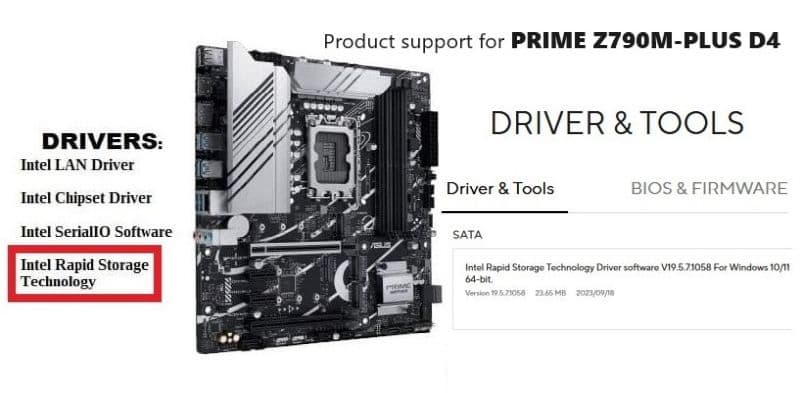
ASUS Prime Z790M-PLUS D4 mATX MoBo: Restore an Image and/or do a Clean Install

The Intel® Rapid Storage Technology (Intel® RST) driver holds the controllers (?) and storage drivers I needed to do a Backup and Restore (Windows 7) of a Win11 Pro saved image, and/or to do a clean installation of Win11 Pro – on an ASUS Prime Z790M-PLUS D4 MoBo.

I am no expert at motherboards, but I sometimes do more ‘Tinkering’ with my main computer (‘Apevia’) than I should—hence the reason for using the Backup and Restore (Windows 7) utility that comes with Windows 11 before actual ‘Tinkering’ starts.

Long story, but I don’t really want to go thru the ‘Nightmare’, in great detail, again. Doubtful that I could remember all the details anyway, since a lot of the experience involved luck, searching, banging away, more searching, more banging away mixed in with deep thought & pondering, experimenting & testing, and a stroke of good luck in the home stretch. 👍😳👌🙂

Read more

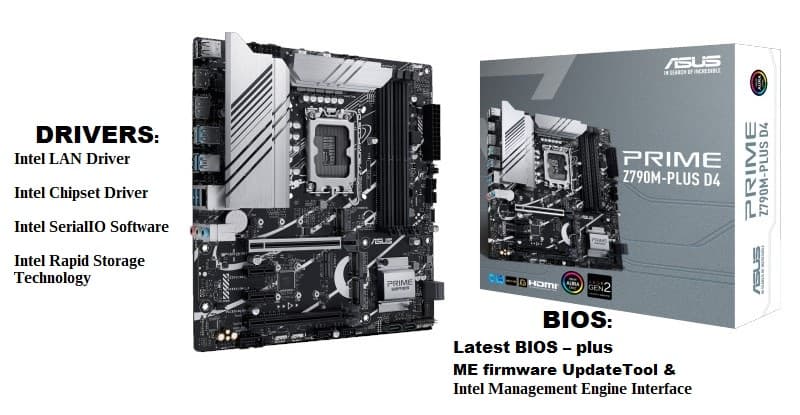
ASUS Prime Z790M-PLUS D4 mATX MoBo – BIOS & Drivers

I have found that finding the right ASUS Z790M PLUS D4 drivers can be frustrating for this one. Since 2005/2006 I have purchased $60-$90 motherboards for my builds, but decided to ‘splurge’ on the ASUS Prime Z790M-PLUS D4 mATX MoBo – $171.89 + $12.03 Tax = $183.92.

Requirements were – Micro ATX, Intel Z790, LGA 1700, and 1Gb LAN motherboard. Have moved away from the big ATX & small ITX boards, and prefer the mATX boards and cases now—fact is, I was going to be removing (intact) an older board from my favorite case, a APEVIA X-QPACK3 mATX case, and building a new Intel® Core™ i9-13900K system in it.

I didn’t find a huge mATX selection, and PCPartPicker only had TWO listed, and I went w/ the ASUS Prime Z790M-PLUS D4.

(*1/31/2024 UPDATE: new info in ASUS Prime Z790M-PLUS D4 mATX MoBo: Restore an Image and/or do a Clean Install post*)

Read more

Builds & Upgrades — Part 5 (FINAL – Before & After)

Finished up new Build yesterday ‘n have it setup in my primary desktop spot – posting this from it right now. 👌👍🙌😁

Here are: Part 1, Part 2, Part 3, and Part 4.

Before’ as in the intact MoBo I moved out of the Apevia X-Qpack3 case, and ‘After’ as in this new Build inside it now. I name most of my computers after the cases I use to build them, and I’ll update the new components in ‘Apevia’ soon.

Here is a closer look at the new benchmark results – from UserBenchmark:

Read more

Translate »