LiteSpeed Cache Optimization: Simple WordPress Speed Tweaks That Actually Work

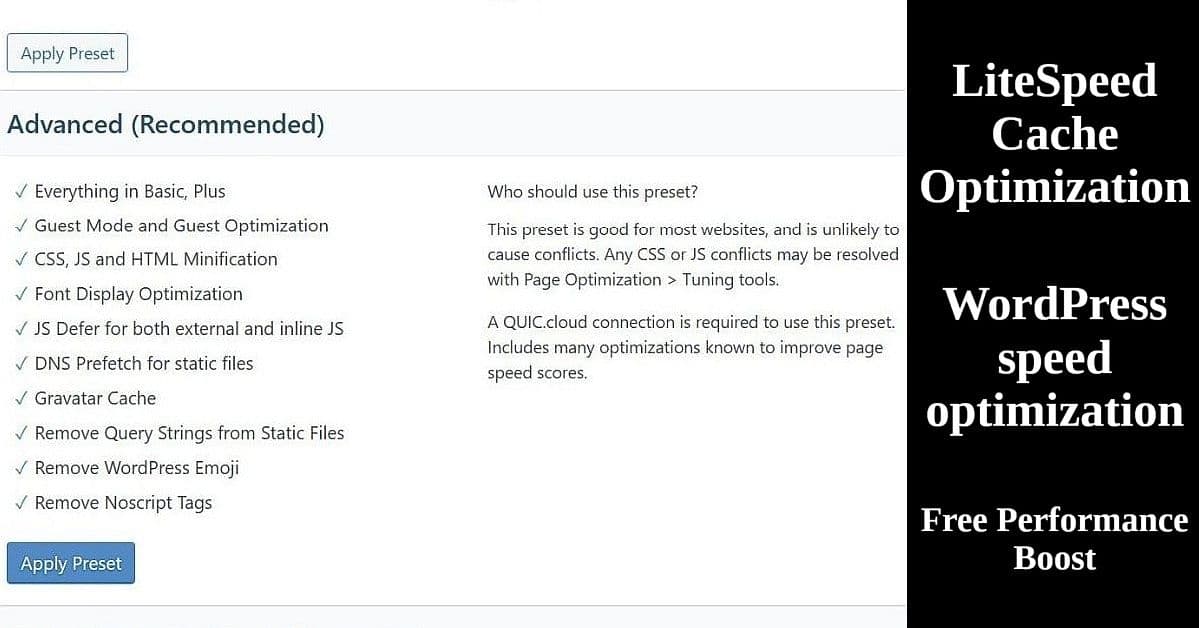
LiteSpeed Cache Advanced preset settings interface showing WordPress speed optimization features and configuration options

Most WordPress users leave LiteSpeed Cache optimization on default settings, missing free speed improvements that can boost site performance by 20-40%. If you’re running a WordPress blog on hosting that supports LiteSpeed optimization (like Hostinger, ChemiCloud, or others), you’re sitting on a goldmine of free performance improvements. The LiteSpeed Cache plugin can dramatically speed up your WordPress site with just a few simple tweaks – no technical expertise required.

Read more

Classic Block ­– replicates old Classic Editor ‘while inside the WordPress block editor

The WordPress Gutenberg Block Editor drove humble me away from running my primary Blog at WordPress.com. ‘Following the launch of WordPress 5.0 in December 2018’, the WordPress Block Editorwas set as the default editor and replaced the classic editor’.

I started blogging on Blogger before Google purchased it in 2003. Heck, I even learned how to write my posts in HTML before leaving Blogger in May of 2004. Still, that Gutenberg Block Editor kicked my buttocks every time I tried it. Even setup a free WP blog site to just test the Block Editor.

Had even purchased a $300 WP Business plan to avoid using that durn Block Editor on my Linux Newbie – Since 1996 primary blog. Started looking for a Web Hosting service during that 1-year WP Business plan subscription—hey, I wasn’t about to pay $300 every year for a simple personal blog.

Jeez…what a pain that search was!!! Long story, but the short of it was I settled on a Hostinger 4-year Introductory plan for a onetime cost of $107.56 (about $2.25 a month). Renewal price will be a onetime cost of $335.52 – in 10/19/2026. Gotta check both the Introductory prices & the Renewal prices on any plan you check out!

4-years for the WP Business plan is $1,200. I’ll look for a coupon before renewing in late 2026 to see if that $335.52 can be lowered a tad, but that price breaks down to just $83.88 a year, which is still a bargain.

Read more

Backup and Restore (Windows 7) – a utility for your Windows 10 or 11 PC

This post is on how to do a full Backup and Restore of your Windows 10/11 PC, using a backup system image you created, and then restore that backup image to a new drive – maybe your PC’s drive crashed or you moved to a bigger drive.

Am planning two more similar posts – 1) Configuring System Restore ‘n then creating restore points which can be used later, if something you added or an update went wrong, to restore your PC back to a point before something went wrong. 2) Reset PClets you perform a clean reinstallation and update of Windows while keeping your personal data and most Windows settings intact. In some cases, a clean installation may improve your device’s performance, security, browsing experience, and battery life‘. ‘Sorta‘ a series…so to speak. 🙂

Create a backup System Image

Read more

Annual Archive: ‘Need a Monthly *DROPDOWN* Archive WordPress Plugin for Sidebar?’

Apparently my Theme doesn’t offer a monthly or yearly dropdown Archive widget, just some that will require 4-Lines after 4-years or 48-Lines after 48-months. 😉 I had tried several plugins, but they either didn’t work or were the same space wasting widgets that my Theme already offered.

Read more

How to Set Up Local WordPress Testing for Theme Changes

Local WordPress theme testing setup guide for step-by-step tutorial

Testing WordPress themes on your live site is risky. One wrong click and your site breaks. Visitors see errors. Search engines penalize you. You scramble to fix it while traffic disappears.

Local WordPress testing eliminates this risk completely. Using Local by WP Engine, you can test themes safely on your own computer before touching your live site. No hosting needed. No risk to your live site. Break things, experiment, and test freely – then apply what works to your real site.

This guide shows you exactly how to set up Local WordPress testing and create a test site with your actual content. The entire process takes about an hour, and you’ll have a safe sandbox ready for testing any WordPress theme.

Read more

Translate »