
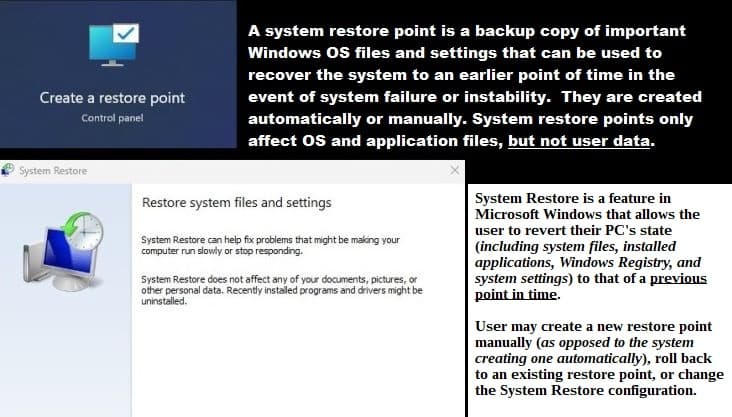
System Restore, creating Restore Points, and restoring your Windows PC

Sometimes, PCs fail—for whatever reasons ‘n users want their PCs back in working order as quickly as possible. The problem may have been caused by the user, OEM, software, new or broke hardware, and in very rare cases—the Windows OS itself.

From my experience, PC OEMs have usually been the problem, especially wid their added OEM software, and a Lenovo desktop computer was the most troublesome computer I’ve ever owned. When Windows Vista came out (1/30/2007) one could find incredible bargain prices on new Vista PCs, and I purchased three different ones at that time—that troublesome Lenovo desktop was one. Finally got that Lenovo working right by just wiping out the OS drive and doing a completely new installation of Vista on it – without any of their OEM software.

Windows 10 & 11 provide at least three easy solutions to most of the PC problems that users come across, and I am on #2 wid this post – #1 was Backup and Restore (Windows 7) ‘n #3 will be Reset PC. I’ll be linking to each one in the future as I finish ‘n post them.

Truthfully, I have never had any issues wid either Windows 10 Pro or Windows 11 Pro, on the desktop computers I have built – ‘Build Your Own Computer’ (BYOC). I recently had an issue wid my Dell XPS 13 9310, the Dell SupportAssist wasn’t working right, and that is the reason I came up wid the idea for these three posts. 19-months without any issues, but then a SupportAssist issue the other day.


Read more

Backup and Restore (Windows 7) – a utility for your Windows 10 or 11 PC

This post is on how to do a full Backup and Restore of your Windows 10/11 PC, using a backup system image you created, and then restore that backup image to a new drive – maybe your PC’s drive crashed or you moved to a bigger drive.

Am planning two more similar posts – 1) Configuring System Restore ‘n then creating restore points which can be used later, if something you added or an update went wrong, to restore your PC back to a point before something went wrong. 2) Reset PClets you perform a clean reinstallation and update of Windows while keeping your personal data and most Windows settings intact. In some cases, a clean installation may improve your device’s performance, security, browsing experience, and battery life‘. ‘Sorta‘ a series…so to speak. 🙂

Create a backup System Image

Read more

How to Set Up Local WordPress Testing for Theme Changes

Local WordPress theme testing setup guide for step-by-step tutorial

Testing WordPress themes on your live site is risky. One wrong click and your site breaks. Visitors see errors. Search engines penalize you. You scramble to fix it while traffic disappears.

Local WordPress testing eliminates this risk completely. Using Local by WP Engine, you can test themes safely on your own computer before touching your live site. No hosting needed. No risk to your live site. Break things, experiment, and test freely – then apply what works to your real site.

This guide shows you exactly how to set up Local WordPress testing and create a test site with your actual content. The entire process takes about an hour, and you’ll have a safe sandbox ready for testing any WordPress theme.

Read more

Translate »