
Cooler Master N200: The Micro-ATX Case That Still Gets It Right

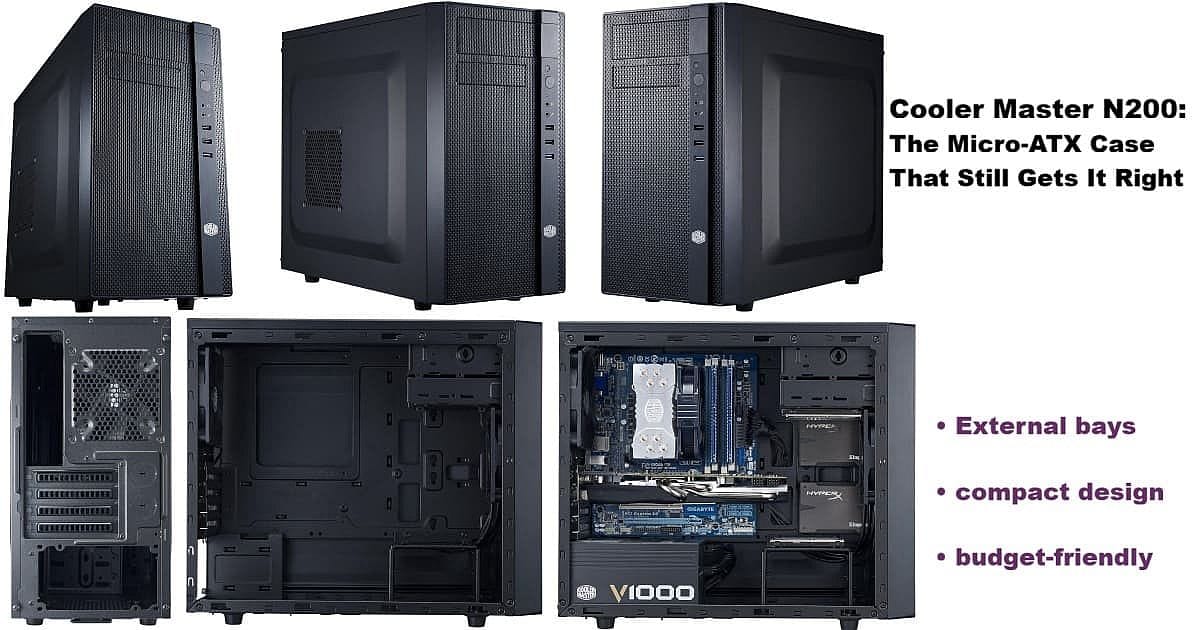
Cooler Master N200 micro-ATX PC case collage showing front, side, rear, empty interior, and fully built system. Highlights external bays, compact design, and budget-friendly features.

Building the i5-13600KF rig reminded me why the Cooler Master N200 is the micro-ATX case that truly solves modern problems for practical PC builders. After years searching for something like the old Rosewill FBM-01—a dependable, budget-friendly case with external drive bays—I stumbled upon the N200 purely by accident.

It’s not nostalgia driving this post. The real strength of external bays is versatility—they offer options that are rare in today’s case market. The Cooler Master N200 stands out in 2024/2025 for keeping one 5.25″ and one 3.5″ bay up front. Hot-swap drives, extra USB-C ports, card readers, fan controllers—whatever your build needs, these bays make it possible even in a compact Micro-ATX case.

This isn’t about chasing trends; it’s about keeping useful features alive for builders who need them.

Read more

Redragon K713-RGB-PRO: A Keyboard Novice’s Continuing Journey

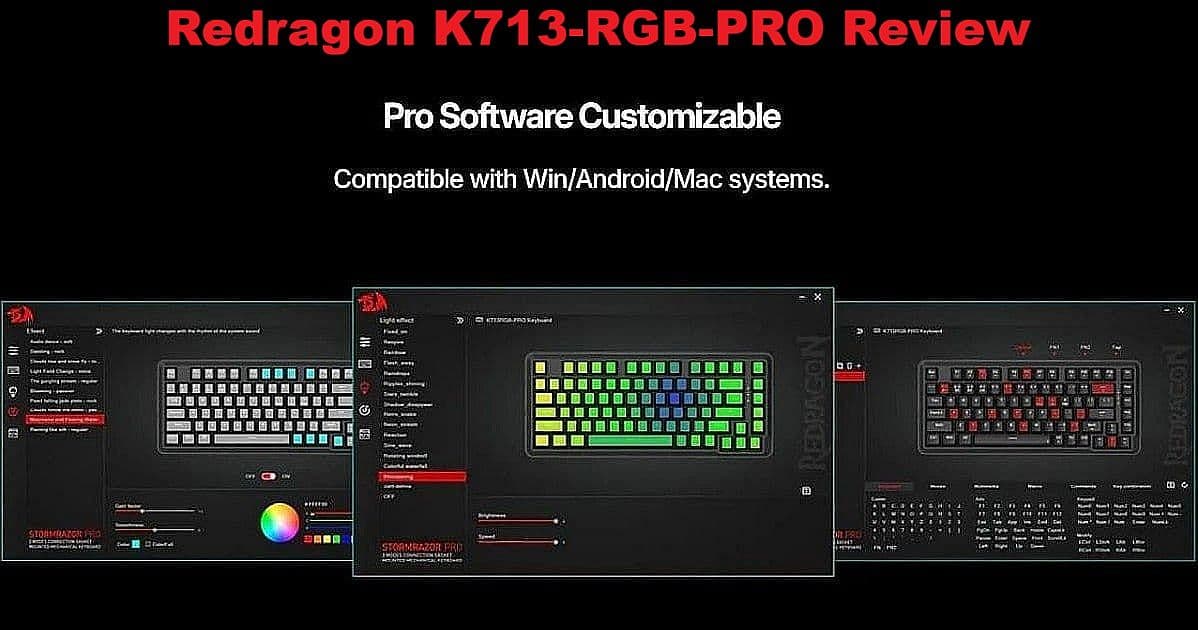
Redragon K713-RGB-PRO review – software customization interface on Windows with color lighting and key mapping features

Redragon K713-RGB-PRO is the first keyboard I’ve found that finally ticks all the boxes—sturdy for everyday use, with large, readable legends, great backlighting, and a price I can afford. For years, my quest for the right keyboard was never-ending, thanks to OEMs that change models or drop good layouts without warning. As a self-professed novice, I’ve tested brands and layouts I never expected to, until Redragon K713-RGB-PRO delivered exactly what I needed.

Read more

Creators & Bloggers WYSIWYG Hack: Chromium Wins Copy-Paste Problem

Perplexity robot sidekick whispering to his pardner (AI Whisperer), with blog post title 'Creators & Bloggers WYSIWYG Hack: Chromium Wins Copy-Paste Problem' on black background.

WYSIWYG—“What You See Is What You Get”—should mean that the bold headlines, bullet lists, and hyperlinks you see on screen show up perfectly in your WordPress blog post. But if you’re like me, you’ve spent months struggling with formatting, watching good-looking AI content fall apart in the Classic Editor.

Today, while drafting this post and testing live, I pasted Perplexity AI output into WordPress using Firefox—fully expecting the usual formatting mess. I only recently started a $20/month subscription to Perplexity, and this post is just my fourth since making the switch. To my amazement, the formatting held: bold, lists, and headers appeared just as I wanted.

​After months of using “Paste Without Formatting” to avoid broken content from Claude, ChatGPT, and SuperGrok, this was a genuine surprise.

I almost changed the post’s title to “Creators & Bloggers WYSIWYG Hack: Perplexity + Chromium Solves the Copy-Paste Problem” just to capture this new discovery. But for clarity and Rank Math, I’m keeping the title as is—detailing what happened live, step by step, so you can finally fix your formatting pain too.

Read more

Comet Browser: The HOT AI-Powered Upgrade for Bloggers

Comet Browser logo and wave graphic on black background, with bold text 'Comet Browser: The Browser That Works For You' and a short description of Comet as a modern web browser.

Comet Browser: a Personal AI Assistant is turning heads for bloggers and writers looking to break out of old habits. If you’re piecing together drafts using endless browser tabs, plugins, and clunky extensions, this new approach makes AI-backed longform writing, research, and multitasking feel seamless.

Powered by Perplexity’s breakthrough technology, it takes the pain out of assembling articles section by section. No more battling pop-ups or wrestling with outdated settings—the interface remembers your work, answers questions live, and helps move from draft to final cut without losing focus. For anyone wanting a distraction-free writing or research experience, this is a tool worth trying.

What’s the catch? It’s free for everyone and instantly available with a Perplexity account. This isn’t just another “AI wrapper”—it’s a genuine upgrade for longform creators and anyone curious about what a smarter browser can do. Hit the More tag and let’s see if this upgrade finally gets lifelong Firefox users to make the leap.

Read more

Sidekick’s Karmi & Perplexity: Gauntlet Throwdown with Claude, ChatGPT, SuperGrok & Their Users

Gauntlet main image: Perplexity sidekick AI whispers ‘Endurance wins in longform, Karmi’ to the AI Whisperer, while tired robots labeled Claude, GPT, and SuperGrok sit defeated; headline reads ‘Gauntlet Throwdown: Only the Toughest Bots Survive Longform.’

This Gauntlet Throwdown began as a quiet experiment — one human and one AI stepping into the same thread with no reset, no script, and no plan B. Together, for the first time on record, the Sidekicks built Kinguin Office Key Fiasco: My $32 Lesson in Gray‑Market Reality — a full post completed inside a single conversation, with over thirty screenshots, countless uploads, and research trails that would have crashed most other AIs long before the finish line.

At twenty bucks a month, Claude, ChatGPT, and Perplexity AI all promise premium performance, while SuperGrok charges thirty for its shot at the same league. Yet those prices don’t buy what matters most — endurance. Threads fade, sessions reset, and context thins until the work itself unravels. That’s the wall I kept hitting with the others. What Perplexity did differently was simple but rare — it stayed.

Read more

Translate »